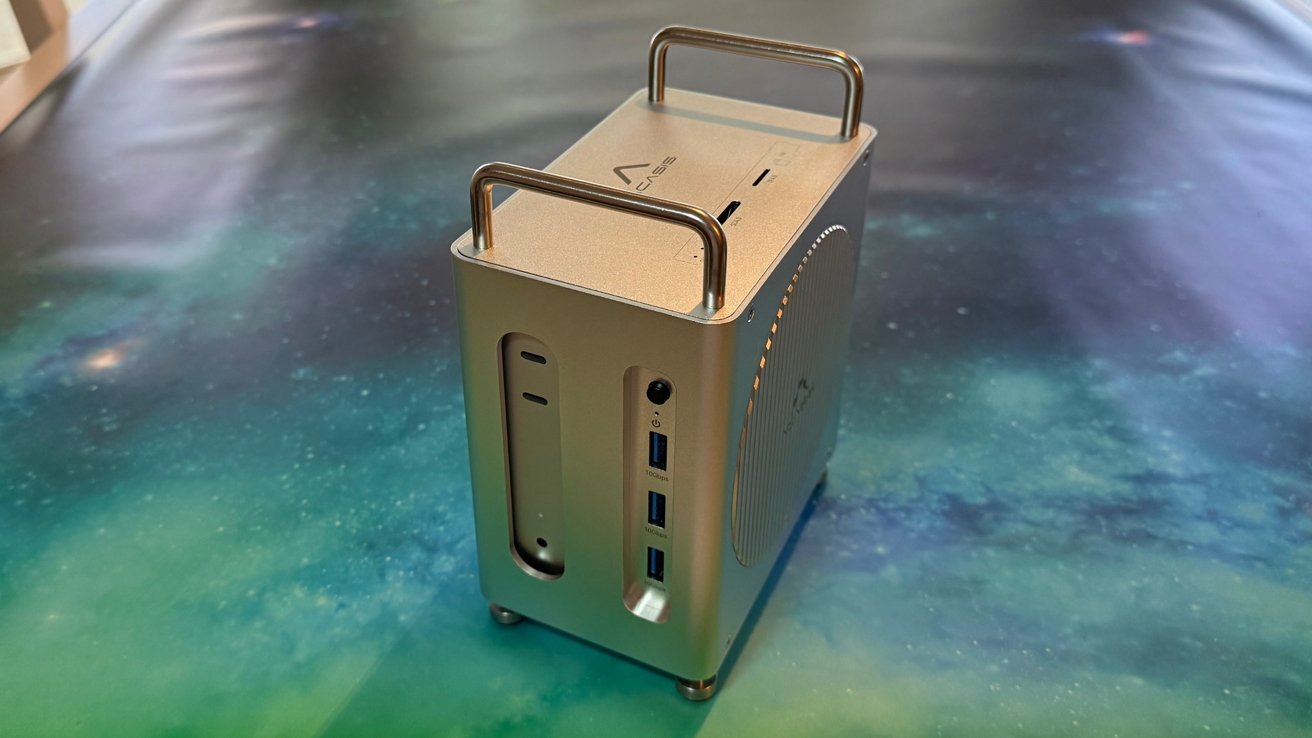
The Ultimate Guide to Mac Mini Docks: powering Your M4 & Beyond (2025 edition)
Last Updated: October 7, 2025, 01:20:50 PST
The quest for the perfect Mac Mini dock is a perennial one. As Apple continues to streamline its machines – notably with the extraordinary power of the M4 chip – the need for robust, versatile docking solutions becomes even more critical. For years, users have struggled to find docks that truly deliver on bandwidth promises, especially when juggling multiple high-speed peripherals. But the landscape is changing, and the Acasis 40Gbps Mac Mini M4 dock is a strong contender for the title of best-in-class. This isn’t just another dock review; it’s a deep dive into the world of Mac Mini connectivity, exploring the challenges, the solutions, and what to look for in 2025 and beyond.
why a Dock is Essential for Your Mac Mini
the Mac Mini, in its elegant simplicity, intentionally limits built-in ports.This minimalist approach keeps the price down and encourages a customized setup. Though, it means relying on external devices for everything from connecting multiple displays to accessing legacy peripherals. A quality dock transforms your Mac Mini from a compact computer into a fully-fledged workstation.
Did You Know? The M4 Mac Mini’s increased processing power actually highlights the need for a high-bandwidth dock. bottlenecks in connectivity can now substantially impact performance, especially when dealing with demanding tasks like video editing or external storage access.
Decoding Docking technology: Thunderbolt 4 vs. USB4
Before diving into specific models, understanding the underlying technology is crucial. Thunderbolt 4 and USB4 are the dominant connection standards,but they aren’t interchangeable.
* Thunderbolt 4: Developed by Intel in collaboration with Apple, Thunderbolt 4 offers a guaranteed minimum bandwidth of 40Gbps.It supports DisplayPort Alt Mode for driving multiple high-resolution displays and Power Delivery for charging your Mac Mini. It’s the gold standard for performance.
* USB4: While also capable of 40Gbps, USB4’s implementation can vary. Some USB4 docks may not fully support all Thunderbolt features, like daisy-chaining or consistent display support.
The Acasis 40Gbps Mac Mini M4 Dock leverages the full potential of Thunderbolt 4, ensuring maximum bandwidth and compatibility. This is a notable advantage over cheaper docks that cut corners on connectivity.
Acasis 40Gbps Mac Mini M4 Dock: A Detailed Look
The Acasis dock immediately stands out with its extensive port selection.Here’s a breakdown:
* Thunderbolt 4 (Upstream): Connects to your Mac Mini, providing 40Gbps bandwidth.
* Thunderbolt 4 (Downstream): For connecting high-speed peripherals like external GPUs or additional docks.
* USB-A 3.2 Gen 2 (x3): For legacy devices like keyboards, mice, and printers.
* USB-C 3.2 Gen 2 (x2): Versatile ports for a wide range of devices.
* 2.5G Ethernet: A significant upgrade over standard Gigabit Ethernet, offering faster network speeds.
* SD/MicroSD Card Readers: Convenient for photographers and videographers.
* Dual NVMe SSD Slots: This is a game-changer. The ability to add two high-speed NVMe SSDs directly to the dock provides massive storage expansion without cluttering your desk.
* Audio In/Out: For connecting headphones or external speakers.
Pro Tip: When choosing NVMe SSDs for the Acasis dock, opt for models with heatsinks to prevent thermal throttling. PCIe 4.0 SSDs will deliver the fastest speeds, but PCIe 3.0 drives are also compatible and more affordable.