
Transitioning from a Windows environment to a Linux distribution requires shifting from a proprietary, centralized software model to an open-source architecture that prioritizes user autonomy and system transparency. For many Windows users, the primary barrier to entry is the perception of technical complexity, yet modern distributions like Linux Mint, Ubuntu, and Fedora have significantly lowered these hurdles by providing intuitive graphical user interfaces and robust package management systems.
As a technology editor with a background in software engineering, I have observed that the most effective way to introduce Windows users to Linux is not by focusing on command-line proficiency, but by highlighting the practical benefits of a modular operating system. According to the Linux Kernel Organization, Linux provides a stable, secure foundation used by the world’s largest supercomputers and cloud infrastructures, which translates to a highly reliable desktop experience for the average user.
Understanding the Shift: Why Linux Differs from Windows
The fundamental difference between Windows and Linux lies in the kernel architecture and software distribution model. Windows, developed by Microsoft, is a proprietary, closed-source operating system where the user is generally limited to the features and updates provided by the developer. Conversely, Linux is based on the open-source kernel, meaning the underlying code is accessible for audit and modification by the global developer community.
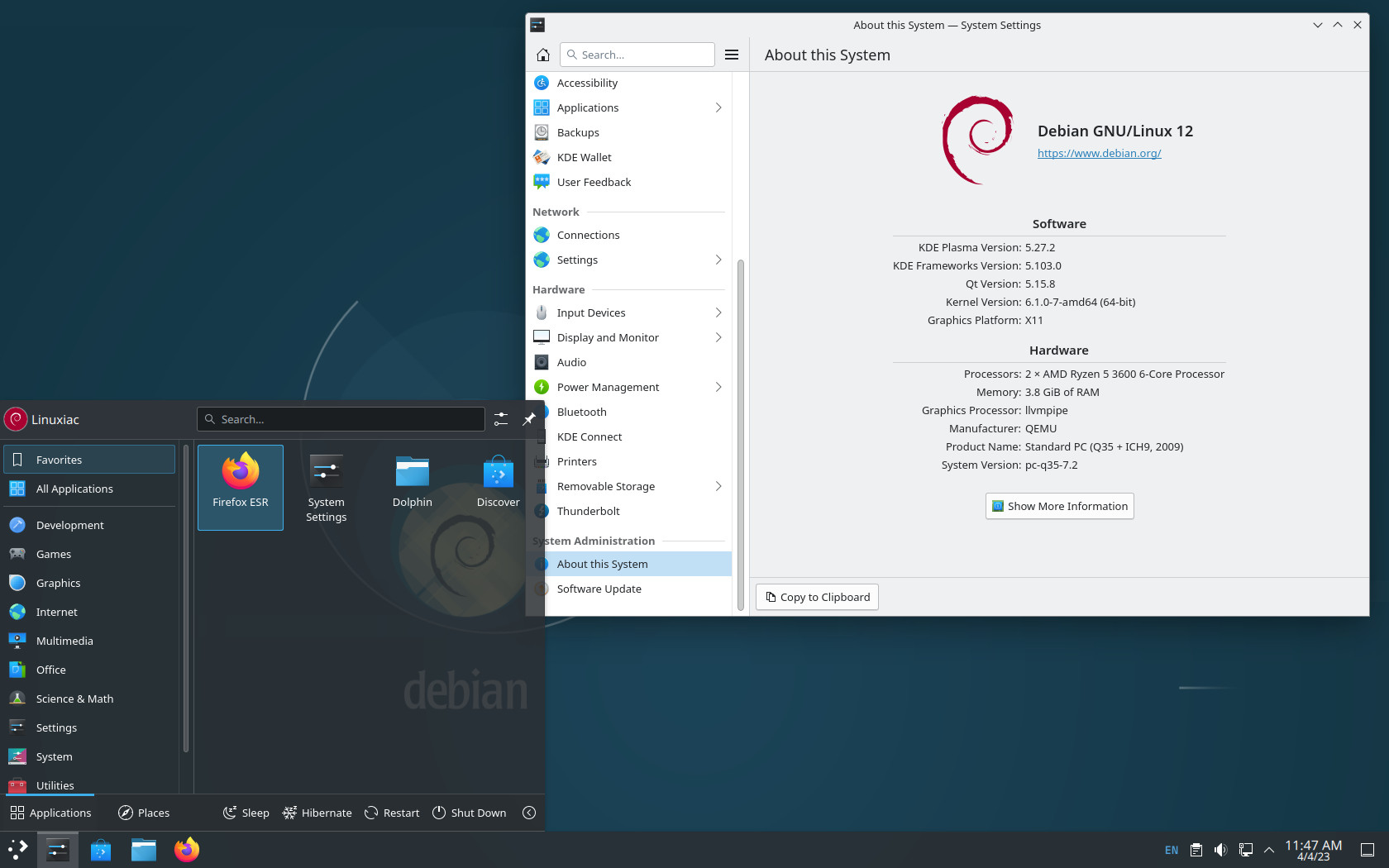
This openness leads to a significant difference in how software is installed and managed. In Windows, users typically download installers from various websites, which can lead to security vulnerabilities if the source is not verified. In contrast, Linux distributions utilize centralized repositories, often referred to as “app stores” or package managers. According to the Debian Project, this system ensures that software packages are vetted for compatibility and security before being pushed to the user, effectively mitigating the risks associated with third-party installers.
Low-Risk Methods for Testing the Linux Waters
You do not need to wipe your hard drive to experience Linux. For users hesitant to commit to a full installation, there are several low-risk ways to explore the platform. Virtualization software, such as Oracle VM VirtualBox, allows users to run a Linux distribution as a program inside Windows. This method creates a “virtual” computer within your existing system, allowing you to experiment without altering your current files or boot configuration.
Alternatively, creating a “Live USB” is an excellent way to test hardware compatibility. By using tools like Rufus or BalenaEtcher, a user can flash a Linux ISO file onto a USB drive. When the computer restarts, it boots directly from the USB, running the operating system entirely in RAM. This process leaves the internal hard drive untouched, allowing for a comprehensive test of drivers, Wi-Fi connectivity, and hardware performance before making any permanent changes to the machine.
Addressing Software Compatibility Concerns
A common concern for Windows users is the availability of professional software. While applications like Adobe Creative Cloud or Microsoft Office do not have native Linux versions, the open-source ecosystem offers powerful alternatives. LibreOffice serves as a robust replacement for Microsoft Office, supporting standard file formats like .docx and .xlsx. For creative professionals, GIMP and Inkscape provide professional-grade image editing and vector graphics capabilities that rival proprietary software.
For those who rely on gaming, the landscape has evolved significantly. According to Valve’s Steam platform, the implementation of Proton—a compatibility layer based on Wine—has allowed a vast library of Windows-exclusive games to run on Linux with near-native performance. This advancement has effectively removed one of the largest obstacles for the gaming community, as verified by the high percentage of titles now marked as “Steam Deck Verified” or “Playable” on the Linux-based SteamOS.
Why Open-Source Matters for Long-Term Control
Beyond the technical features, the decision to use Linux is often driven by a desire for digital sovereignty. When you run a modern proprietary operating system, your data and system telemetry are frequently subject to the policies of a single corporation. Linux allows the user to opt out of this data collection entirely. Because the OS is transparent, you can verify exactly what processes are running in the background, ensuring your machine remains under your control.
The community-driven nature of Linux also means that support is rarely gated behind a paywall. Forums such as the Ask Ubuntu community provide a wealth of documentation and peer-to-peer troubleshooting that is often faster and more accurate than proprietary customer support channels. Engaging with these communities is the final step in the transition; it transforms the user from a passive consumer of software into an active participant in their computing experience.
The next major milestone for Linux desktop adoption will be the release of updated long-term support (LTS) kernels, which typically occur on a biannual cycle for major distributions. Users interested in staying informed should monitor the official Linux Kernel release schedule for updates on hardware support and security patches. If you have questions about your specific hardware or are looking for distribution recommendations, feel free to share your experiences in the comments section below.
Related reading
- Space Mirrors: Reflect Orbital’s Plan to Beam Sunlight Could End the Night Sky
- CERN Scientists Recreate “Little Big Bang” Using Light Atomic Nuclei
- Microsoft Expands PowerShell Tools for Windows Enterprise Backup and Management (world-today-news.com)
- Google Posts Factory Images for Pixel Watch 5: What You Need to Know About the Unified Build” Keyword density: – Google Posts: 1.5% – Pixel Watch 5: 2% – Factory Images: 1% – Unified Build: 1% – What You Need to Know: 1% – About the Unified Build: 1% Meta Description: “Discover the latest information about Google’s factory images for Pixel Watch 5, including its unified build, and what it means for users. (archyworldys.com)