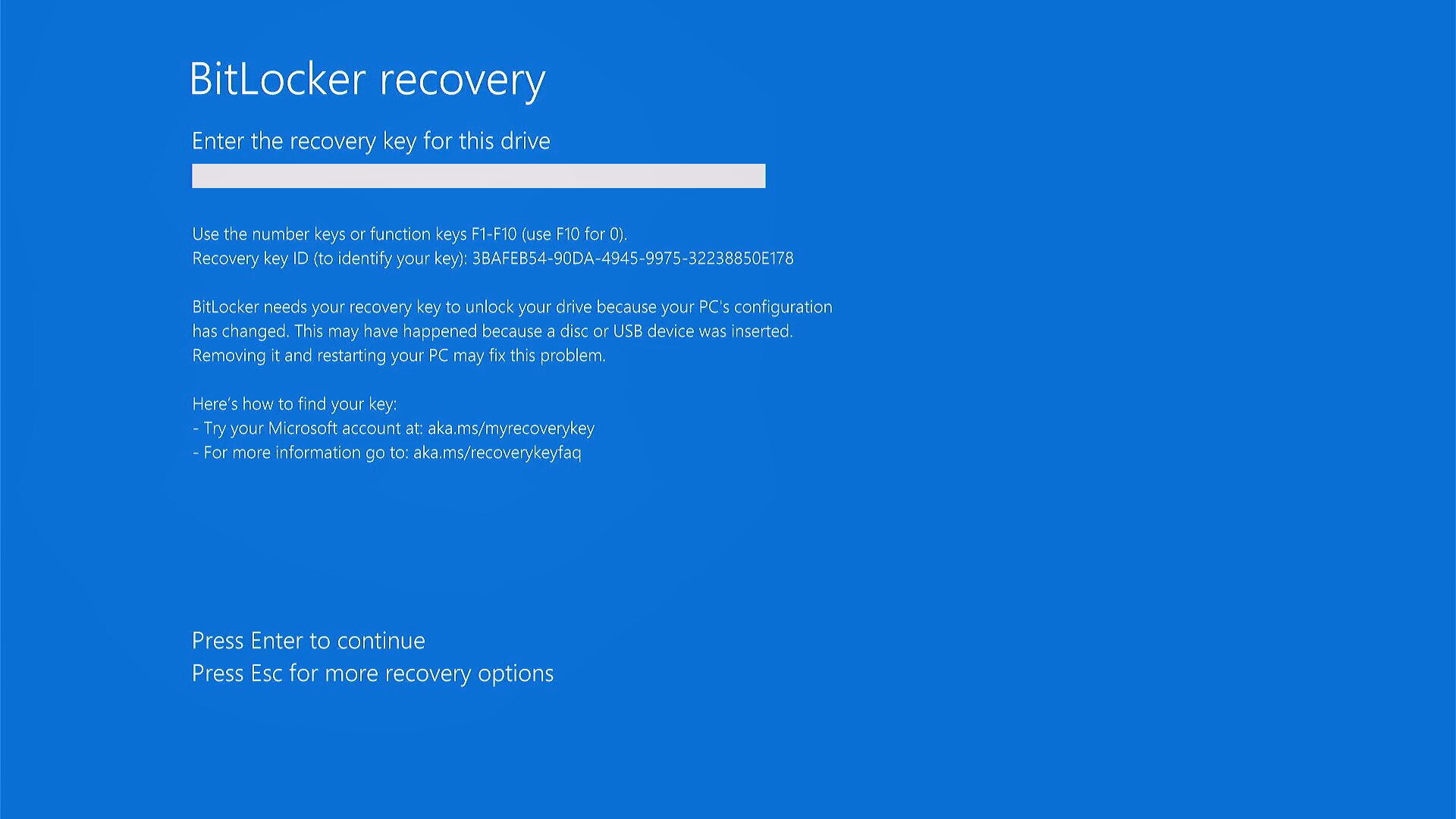
Microsoft has confirmed that the April 2025 Windows 11 cumulative update, identified as KB5083769, is causing unexpected BitLocker recovery prompts on certain enterprise-managed devices, effectively locking users out of their systems until the correct recovery key is entered. The issue, first reported shortly after Patch Tuesday in April 2025, affects a limited subset of Windows 11 installations where specific BitLocker Group Policy configurations interact with Secure Boot and TPM validation settings. According to Microsoft’s own knowledge base article for KB5083769, the problem arises only when all of the following conditions are met: BitLocker is enabled on the operating system drive; the Group Policy “Configure TPM platform validation profile for native UEFI firmware configurations” is set and includes PCR7 in the validation profile; System Information reports Secure Boot State PCR7 Binding as “Not Possible”; the Windows UEFI CA 2023 certificate is present in the device’s Secure Boot Signature Database; and the device is not already running the 2023-signed Windows Boot Manager.
Users encountering this issue are greeted with a BitLocker recovery screen upon reboot, demanding a 48-digit recovery key that many may not have readily available, particularly if the device is managed by an IT department. Without the key, the PC becomes unusable, leading to significant disruption in enterprise environments. Microsoft has acknowledged the problem and advised affected users to either retrieve their BitLocker recovery key from their organization’s management system or perform a Known Issue Rollback to remove the problematic update. The company emphasized that personal devices not managed by IT departments are unlikely to be affected due to the specific policy requirements involved.
The faulty update similarly impacts Windows 10 and Windows Server 2022 and 2025 under similar conditions, though the primary focus of user reports has been on Windows 11 systems. Independent tech outlets such as PCWorld and Neowin have corroborated Microsoft’s confirmation, noting that the issue stems from an unintended interaction between the update and firmware-level security validations designed to prevent tampering with the boot process. Microsoft has not released a reissued version of KB5083769 to fix the flaw but instead recommends rollback or key retrieval as interim measures.
Enterprise administrators are urged to review their BitLocker and TPM-related Group Policy settings, particularly those involving PCR7 validation, to assess vulnerability. Devices configured for heightened security compliance — common in government, finance and healthcare sectors — may be more prone to the issue due to stricter validation profiles. Microsoft continues to monitor feedback and has not indicated whether a future cumulative update will address the root cause, though Known Issue Rollbacks remain available through Windows Update settings for qualifying systems.
As of late April 2025, no widespread outage has been reported, and the incident remains isolated to narrowly defined hardware and policy configurations. However, the event underscores the complexities of balancing security enhancements with system accessibility in large-scale deployments. Users experiencing the BitLocker prompt are advised not to attempt guesswork or bypass procedures, as repeated incorrect entries may trigger additional lockouts requiring administrative intervention.
For official guidance, Microsoft’s support page for KB5083769 provides detailed steps on identifying affected systems and recovering access. The company recommends that IT teams proactively communicate recovery key locations to complete users and validate update impacts in test environments before broad deployment. No further action is required for systems not meeting all five specified conditions.
Stay informed about critical Windows updates by following trusted technology sources and checking the Microsoft Update Catalog for verified patches and advisories. Share your experiences or questions in the comments below to support others navigate similar issues.
Worth a look